 Storemast
Feature
Reply to App Store reviews from your iPhone
Reviews arrive across every app and every country. Storemast gathers them into one list, so a one-star review in Germany doesn't wait a week for an answer.
One list, every app
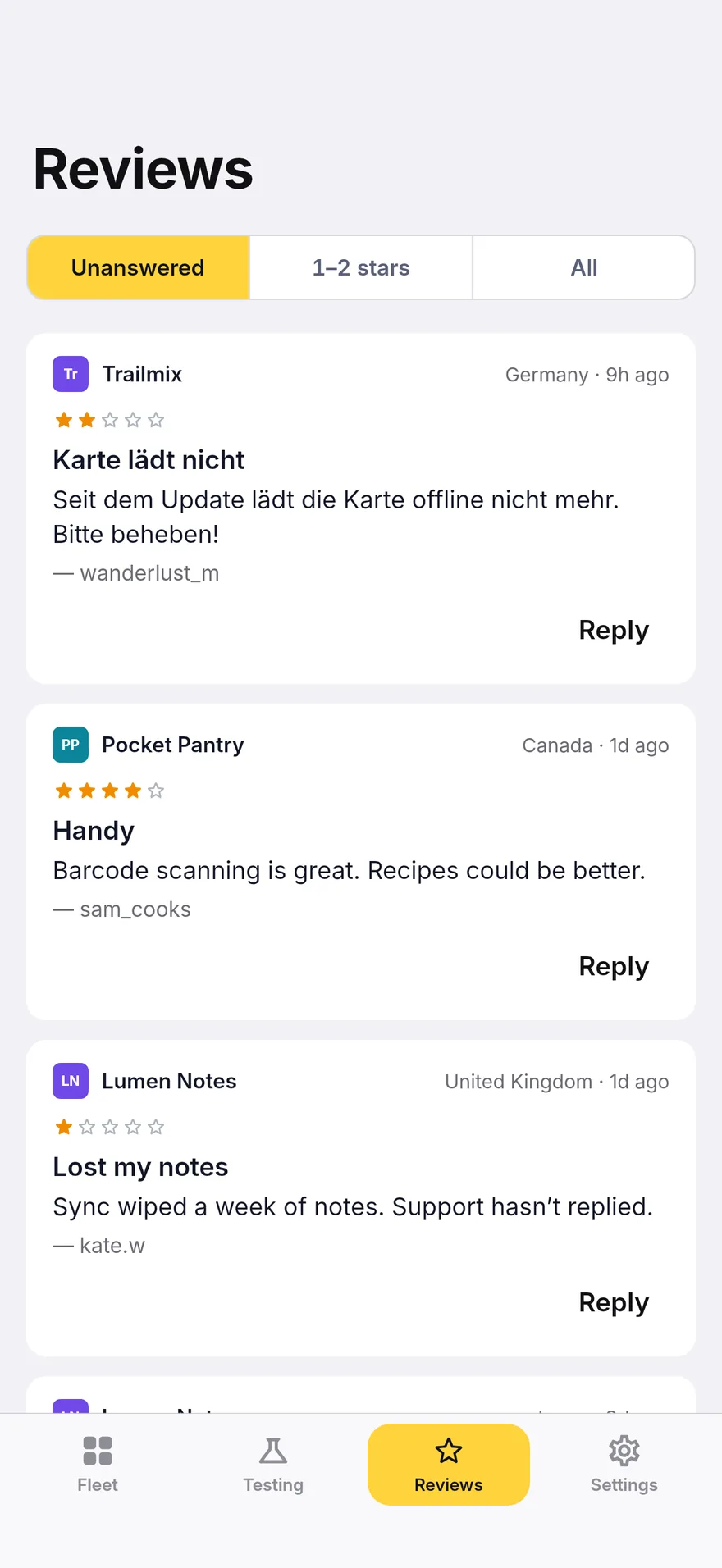
The Reviews tab shows customer reviews from all the apps your key can see, newest first. Each review shows the app, the star rating, the country and how long ago it was written, and your reply if there is one.
Three filters cover the usual jobs:
- Unanswered: reviews without a reply yet.
- 1–2 stars: the reviews most worth answering quickly.
- All: everything.
Reply, edit or delete
- Reply: write your response and send it. App Store reviews can have one developer response each.
- Edit: changing your reply replaces the one that's there.
- Delete: remove your reply from the App Store.
Replies are public and show under the review on the App Store once Apple publishes them; until then Storemast marks yours as publishing. Like every change in Storemast, sending asks for Face ID first. Tips and reply templates are in the guide how to reply to App Store reviews.
Reviews in other languages
Reviews appear in the language they were written in, labelled with the country. Reply in the reviewer's language where you can; a short, polite reply in their language goes a long way.
The app preview
Questions
Can I see reviews from all my apps at once?
Yes. That's what the Reviews tab is for: one list across every app your API key can see, with filters for unanswered and 1–2 star reviews.
How long can a reply be?
Apple's API accepts up to 5,970 characters; Storemast counts them as you type. Shorter replies usually read better.
Why does my reply say publishing?
Apple checks and publishes replies itself, which can take a while. Storemast shows your reply as publishing until Apple reports it as published.
Which API key role do I need for replies?
Customer Support is enough for reviews and replies. App Manager and Admin can reply too.