 Storemast
iPhone app · now in TestFlight beta
Every app you ship, on your iPhone
Storemast is a phone console for App Store Connect, built for developers who ship more than one app. See every app's review status on one screen, release an approved version with Face ID, steer phased releases, keep an eye on TestFlight builds and answer customer reviews from all your apps.
iPhone only for now. Your API key stays in your iPhone's Keychain; there is no Storemast server or account. How it works
Built for developers with several apps
App Store Connect is made for one app at a time. Storemast starts from the whole fleet: what's waiting for review, what's in review, what got rejected and what's approved and waiting for you. Here's what it does today. All screens below show the app's built-in sample data, six made-up apps.
Fleet: every app's review status on one screen
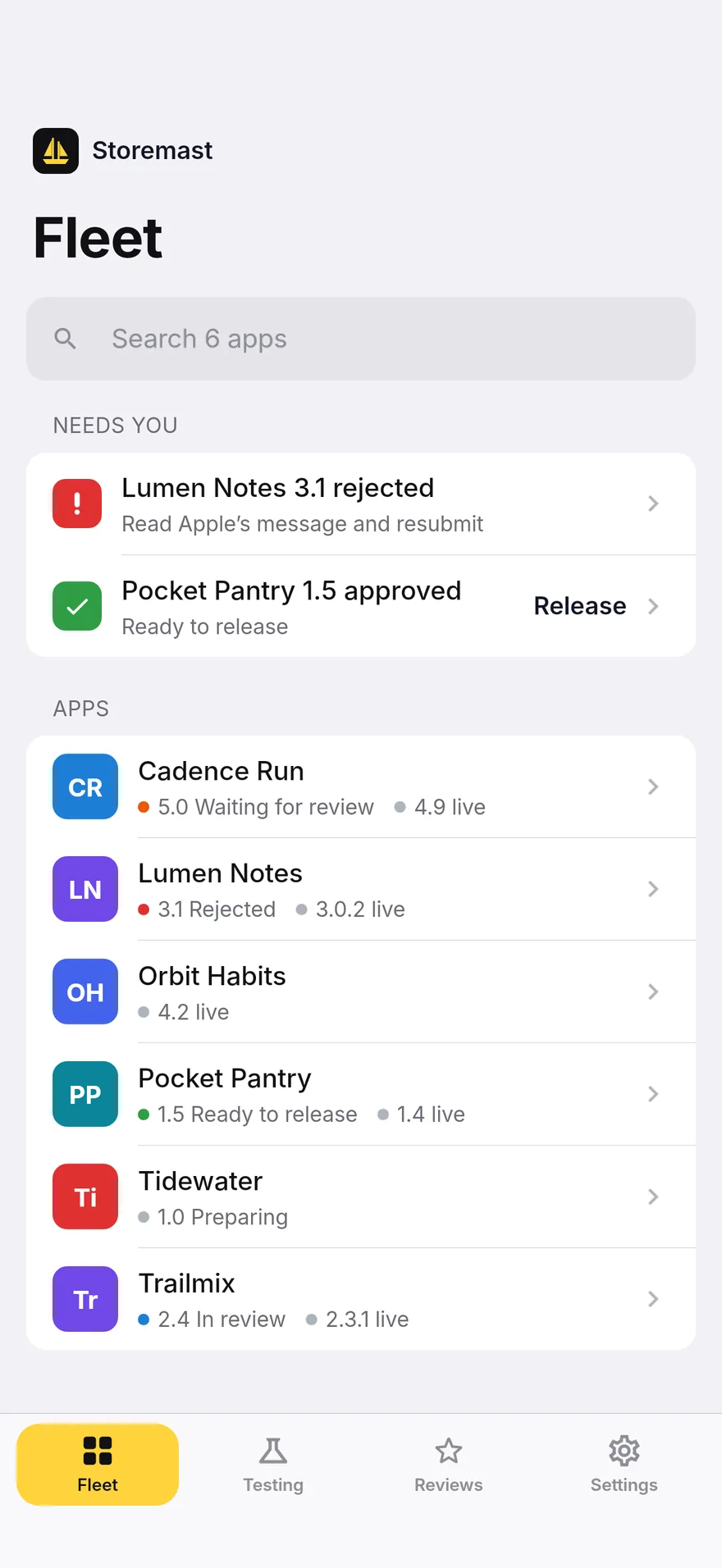
The Fleet screen lists each app with its live version and the one in progress: Waiting for review, In review, Rejected or Ready to release. Anything that needs you, a rejection or an approved version waiting for release, sits at the top under Needs you.
Release an approved version with Face ID
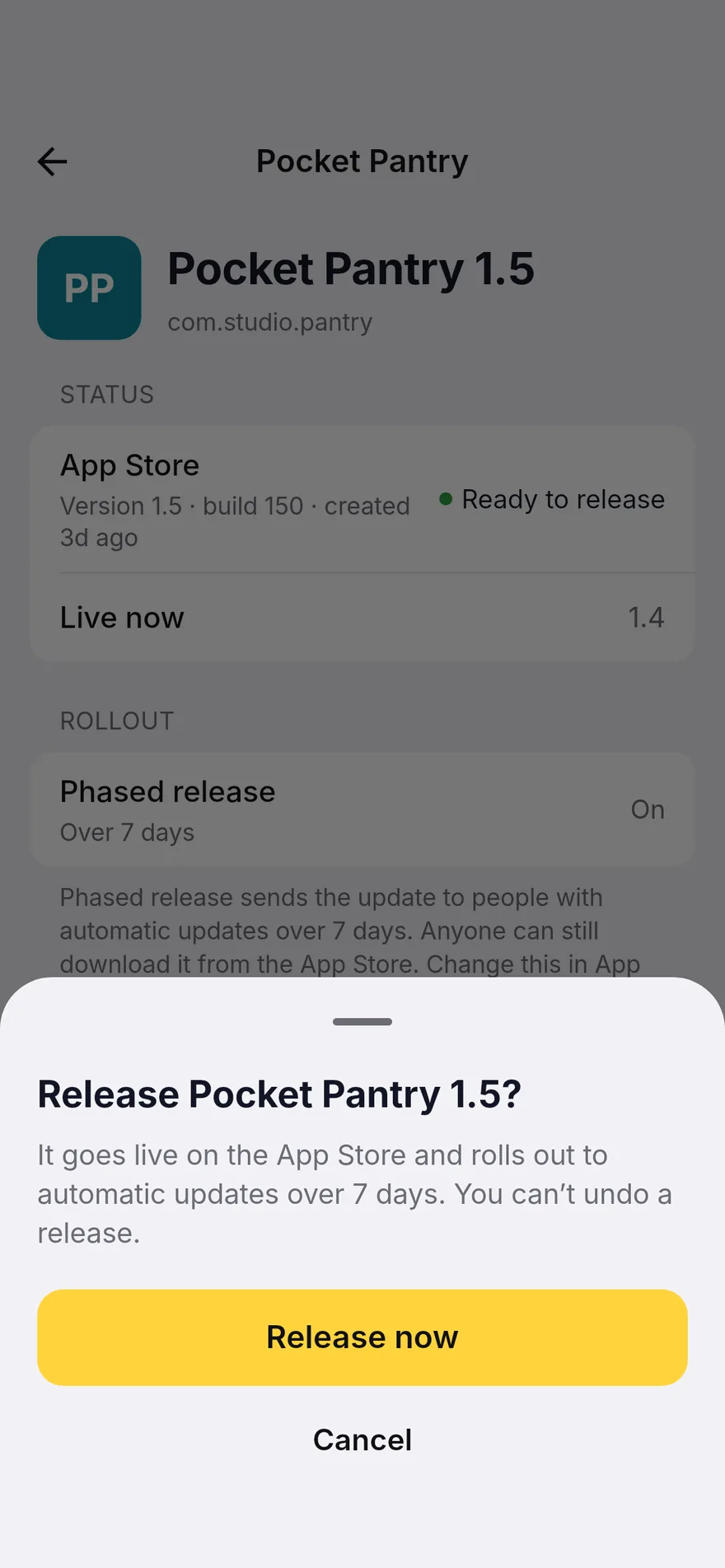
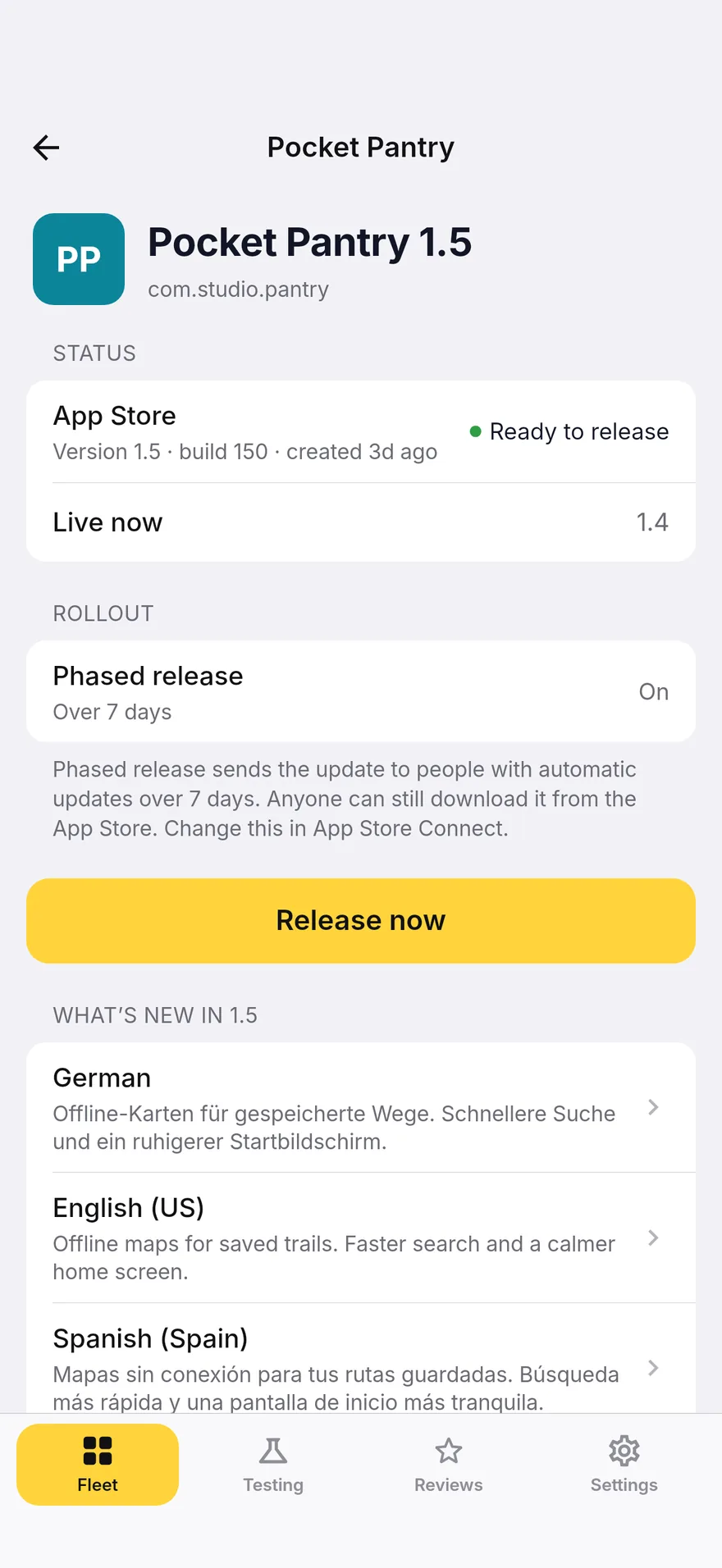
When Apple approves a version you set to release manually, it waits as Pending Developer Release. Storemast shows it under Needs you; tap Release now, read what will happen, and confirm with Face ID. Your update goes live from wherever you are.
Steer a phased release
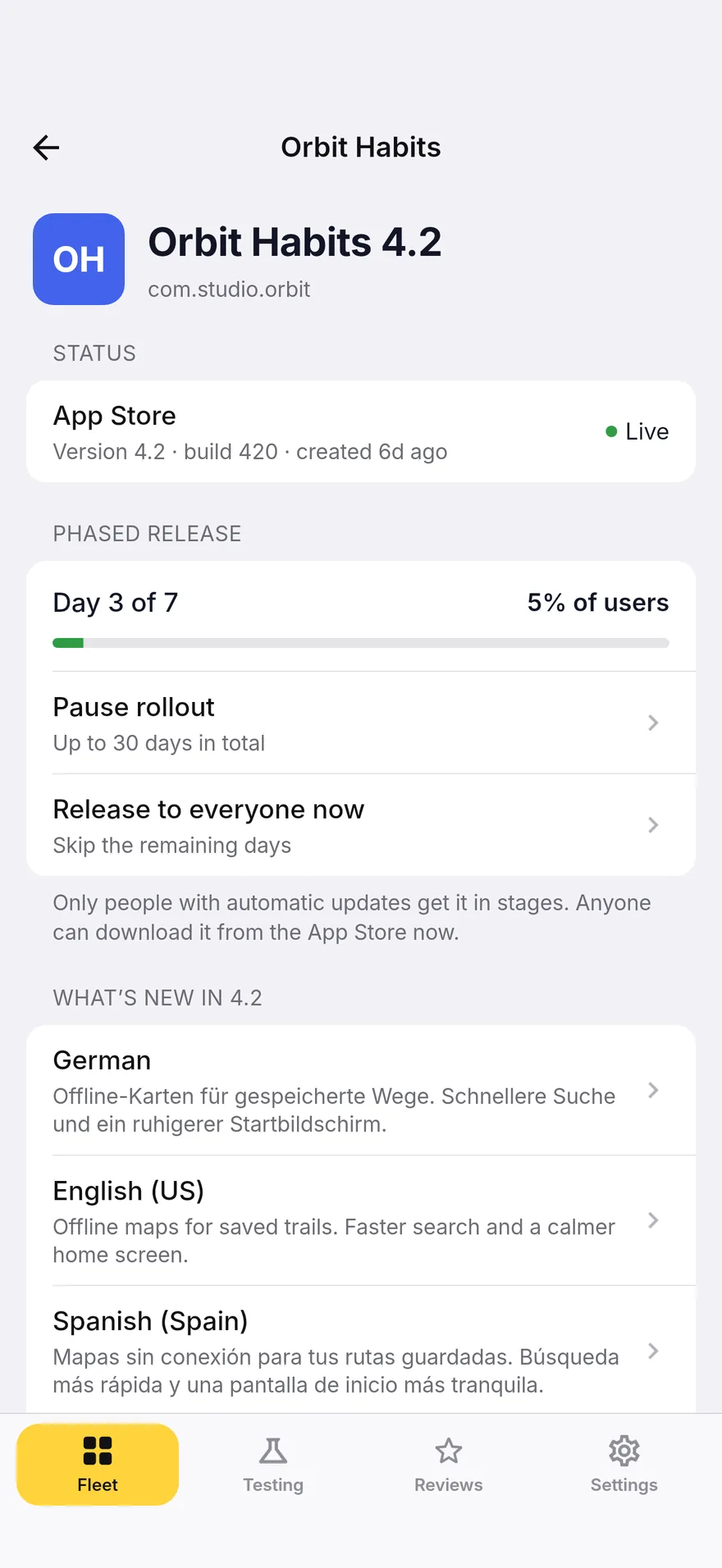
See which day of the 7-day rollout you're on and what share of automatic updates it has reached (1, 2, 5, 10, 20, 50, then 100 %). Pause the rollout if something looks wrong, resume it, or release to everyone now.
TestFlight builds before they expire
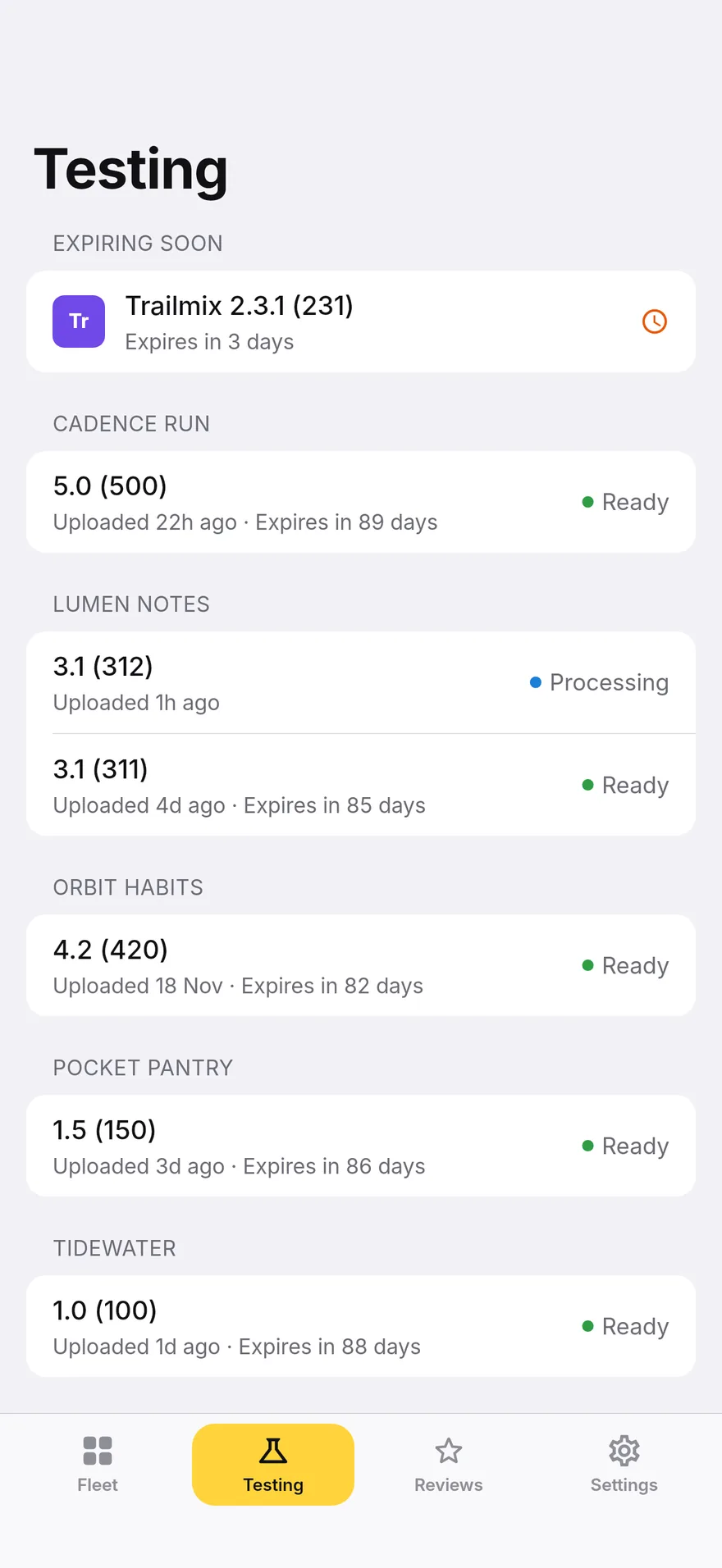
Every build for every app, newest first, with its state: processing, ready, failed or expired. TestFlight builds expire 90 days after upload, so builds with a week or less left are pulled to the top under Expiring soon.
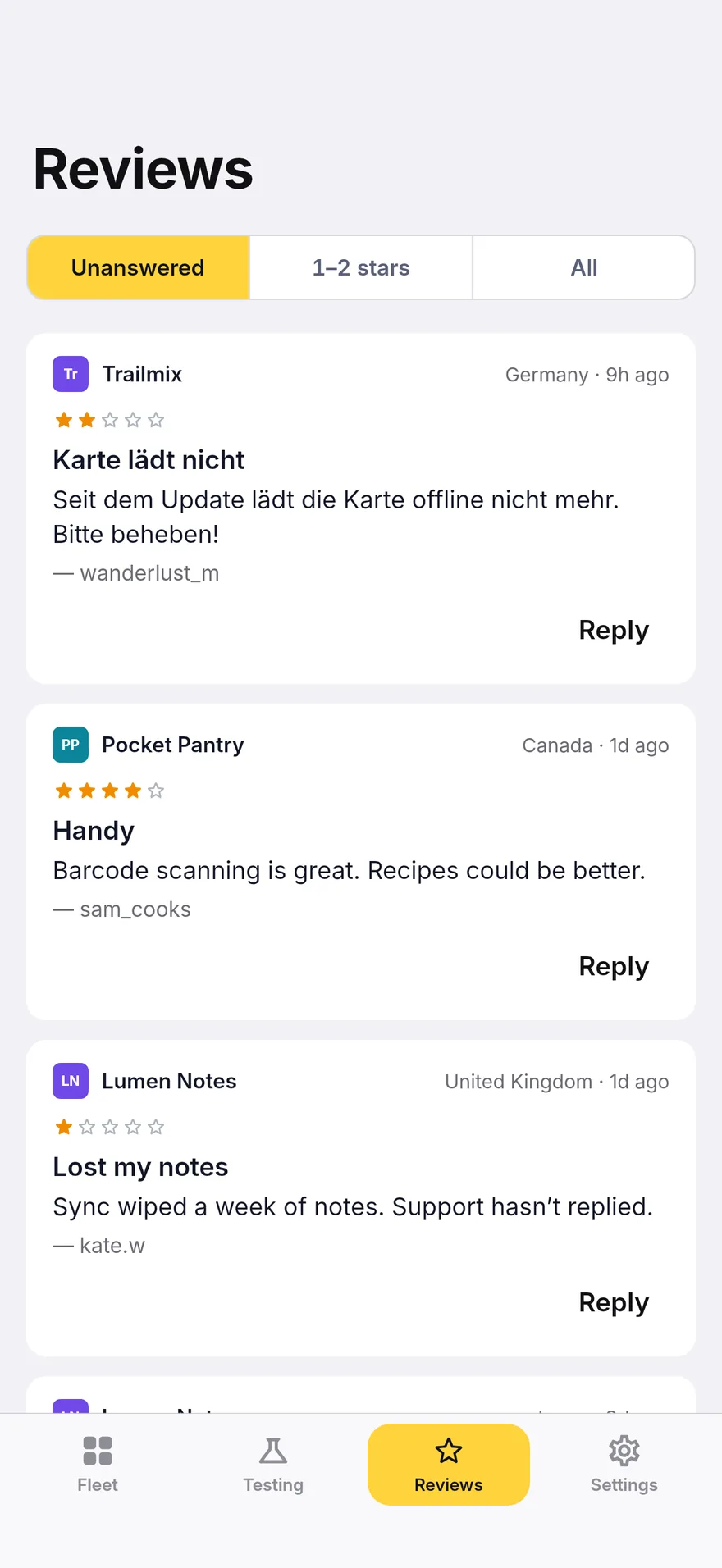
Customer reviews from every app, with replies
One list of App Store reviews across all your apps. Filter to Unanswered or 1–2 stars, then reply, edit your reply or delete it in a few taps.
What's New in every language
Fix a typo or add a line to the release notes before you submit, in each language the version has. Each app also shows its version history and build numbers at a glance.
Private by design
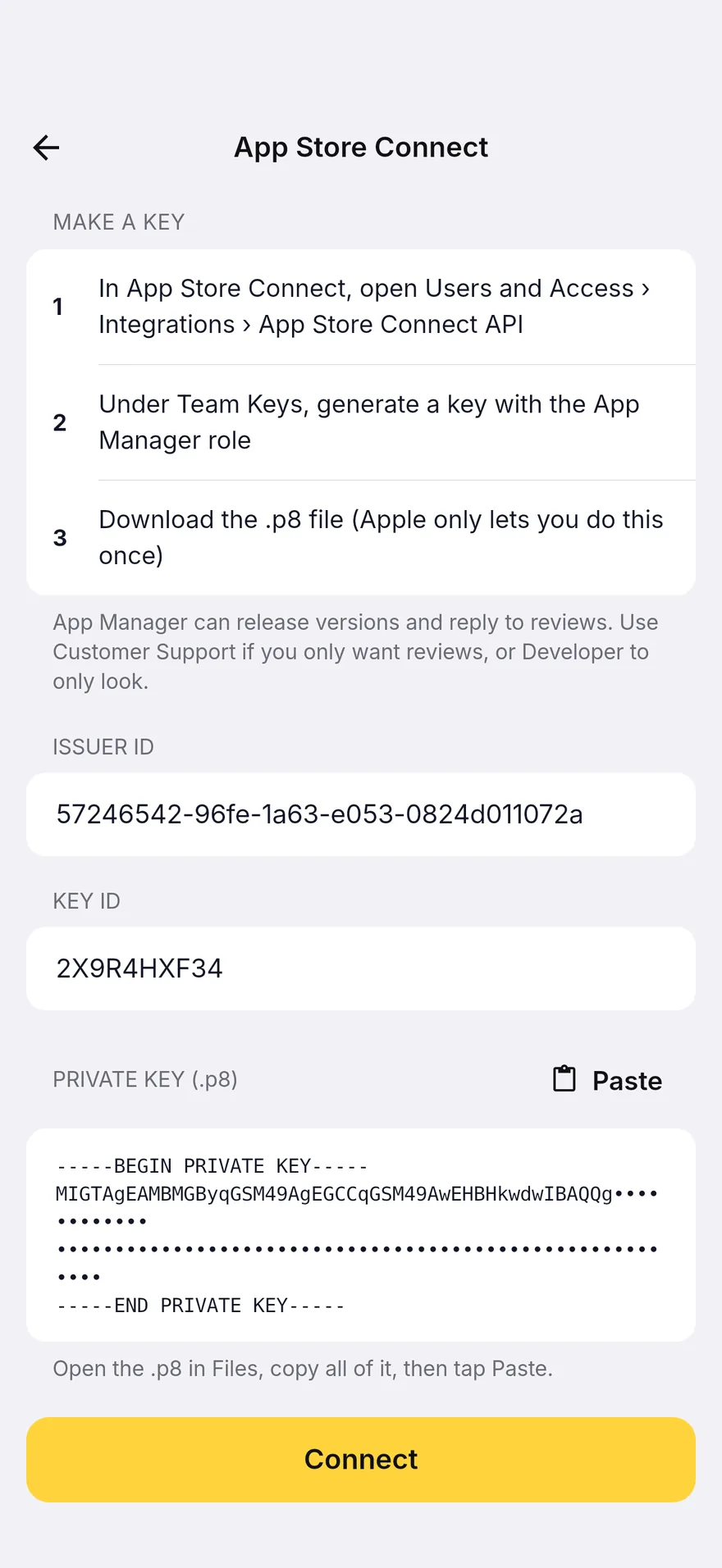
Storemast connects with an App Store Connect team API key: the issuer ID, the key ID and the .p8 private key file Apple lets you download once.
- The key stays on your iPhone, in the iOS Keychain.
- Requests are signed on the device with short-lived ES256 tokens and go straight to
api.appstoreconnect.apple.com. - No Storemast server, no account. Your apps, builds and reviews are never sent to us.
- Look only mode hides every button that changes something, and every change asks for Face ID first.
- Crash reports go to Sentry only, scrubbed on the device, and you can turn them off.
Read how Storemast handles your API key and the guide to creating an App Store Connect API key.
What it doesn't do (yet)
Rejection messages
Apple's API doesn't include App Review's messages, so Storemast shows the rejection and links you to App Store Connect to read and reply.
Turning phased release on or off
You can pause, resume or complete a phased release, but switching it on or off before release still happens in App Store Connect.
Google Play
Coming soon. The app is built so the same screens can show Google Play releases too; it isn't available yet.
Guides
App Store Connect, a practical guide
Every section, roles, API keys and managing several apps.
How long does App Store review take?
What Apple says, what slows it down, and expedited review.
Every App Store version status explained
From Prepare for Submission to Ready for Distribution, and what to do in each.
Phased release explained
The 7-day schedule, who gets the update, and pausing.
TestFlight for developers
Testers, invitations, feedback and 90-day builds.
App Store optimization (ASO)
Keywords, screenshots, ratings and localization that help people find you.
Questions
Is Storemast available on the App Store?
Not yet. It's in TestFlight beta now, by invitation: see how to join. It's coming soon to the App Store.
Does Storemast have a server that sees my API key?
No. The key is stored in your iPhone's Keychain, tokens are signed on the phone, and requests go directly to Apple. There's no Storemast account.
Which App Store Connect role does the key need?
App Manager lets Storemast release versions, steer phased releases, edit What's New and reply to reviews. Customer Support is enough for reviews only, and Developer for looking. See the API key guide.
Does it work with Google Play?
Not yet. Google Play support is planned and coming soon.