 Storemast
Guide
App Store Connect: a practical guide for developers
By the Storemast team · Last updated
TL;DR
App Store Connect (appstoreconnect.apple.com, once called iTunes Connect) is where Apple developers manage everything after the code: Apps (versions, listings, review, release), TestFlight, Users and Access (roles and API keys), Business (agreements, tax, banking), Payments and Financial Reports, Sales and Trends and Analytics. Give people the lowest role that does their job, and use team API keys for tools.
If you ship apps for Apple's platforms, you spend a lot of time in App Store Connect. It's where builds turn into releases, where testers get access, where reviews arrive and where Apple pays you. It's also a big site that grew over many years, and many developers only know the three pages they use every week. This guide is a practical map: what each section is for, who should have access to what, where the API and the iPhone app fit in, and how to keep several apps under control.
What App Store Connect is
App Store Connect, at appstoreconnect.apple.com, is Apple's web portal for everything that happens to an app after it's built: creating the app record, uploading and testing builds, writing the product page, submitting to App Review, releasing, setting prices, managing team members, signing agreements, and reading sales, payments and analytics. It was called iTunes Connect until Apple renamed it in 2018.
It sits alongside two other Apple tools:
- The Apple Developer website (Certificates, Identifiers & Profiles, membership, documentation): signing identities, bundle IDs and devices.
- Xcode: building, signing and uploading the app.
You sign in with the Apple Account that belongs to your developer team, with two-factor authentication. If you're in several teams (your own and a client's, say), switch between them from the account menu at the top right.
The main sections
| Section | What it's for | Who uses it |
|---|---|---|
| Apps | Every app record: versions, product page, builds, App Review, release, pricing, in-app purchases, ratings and reviews, TestFlight. | Developers, app managers, marketing |
| Users and Access | Team members and their roles, sandbox testers, and the Integrations tab for API keys. | Account Holder, Admins |
| Business | Agreements, tax forms and banking information (previously Agreements, Tax, and Banking). | Account Holder, Finance |
| Payments and Financial Reports | Monthly payments from Apple and the financial reports behind them. | Finance |
| Sales and Trends | Units, sales, proceeds, subscriptions and pre-orders over time. | Sales, marketing, founders |
| Analytics | App Store impressions, product page views, conversion, downloads, sessions and retention (usage data comes from users who share it). | Marketing, product |
Apple reorganises App Store Connect from time to time. If a label here doesn't match what you see, the feature has usually moved, not disappeared; Apple's App Store Connect Help has the current layout.
Inside an app
Open Apps and choose an app. Its page is split into a few areas:
Distribution
The App Store side of the app (labelled App Store in older versions of the site). In the sidebar:
- Versions per platform (iOS App, macOS App…): build, screenshots, What's New, App Review information, release option and phased release. Each shows a status; the whole list is in every App Store version status explained.
- App Information: name, subtitle, category, age rating, content rights, bundle ID.
- Pricing and Availability: price, countries or regions, pre-orders.
- App Privacy: the privacy details shown on the product page.
- Ratings and Reviews: customer reviews by country, with a reply box. See how ratings work and how to reply to reviews.
- In-App Purchases and Subscriptions, plus features such as custom product pages, in-app events and product page optimization.
- App Review: your submissions and their messages.
TestFlight
Every uploaded build, its processing state, export compliance, internal and external tester groups, public links, test information and tester feedback. Builds expire 90 days after upload. Covered in full in the TestFlight guide.
Xcode Cloud
Apple's CI service: workflows, builds and their logs, if you use it.
Roles in Users and Access
Everyone on your team gets one or more roles, and Admins can also limit some users to specific apps. Pick the lowest role that does the job.
| Role | Typically allows |
|---|---|
| Account Holder | Everything, including legal agreements. One person: whoever enrolled the team. |
| Admin | Everything except a few legal steps: manage users, roles and API keys. |
| App Manager | Manage apps: metadata, versions, submissions, releases, pricing, TestFlight, review replies. |
| Developer | Builds and TestFlight, view app information; can't release or reply to reviews. |
| Marketing | Product page information and marketing features. |
| Finance | Payments, financial reports, tax and banking. |
| Sales | Sales and Trends, and app analytics. |
| Customer Support | Read and respond to customer reviews. |
Apple's documentation has the exact permissions table, and some abilities are switched on per user (for example creating apps, or access to Certificates, Identifiers & Profiles). Two rules of thumb: keep the number of Admins small, and remove people when they leave.
Integrations: API keys
Under Users and Access › Integrations, the App Store Connect API page holds your API keys:
- Team keys belong to the team and carry a role you choose. Best for CI and tools; you'll need the issuer ID, the key ID and the
.p8private key, which Apple lets you download once. - Individual keys belong to one user and act with that user's role.
Step by step: how to create an App Store Connect API key. What you can do with it: the App Store Connect API guide. The same tab holds other keys, such as In-App Purchase keys used by StoreKit server APIs.
Business, payments and reports
- Business: every team has the free apps agreement through its membership. To sell apps or in-app purchases, the Account Holder accepts the Paid Apps agreement and adds tax and banking details. Apple updates agreements now and then; until the new terms are accepted, some actions are blocked, which is a common cause of a version stuck in Pending Contract.
- Payments and Financial Reports: what Apple paid, when, and per-region financial reports.
- Sales and Trends: day-to-day units and proceeds. Reports can also be downloaded through the API.
- Analytics: how people find and use the app on the store. Useful for product page and keyword work.
The App Store Connect app for iPhone and iPad
Apple also makes a free App Store Connect app for iPhone and iPad. It covers essentials away from your desk, such as checking app status with notifications when it changes, sales and trends, reading and responding to customer reviews, and TestFlight. Apple's App Store listing for the app has its current feature list.
It's built around one app at a time, with the same navigation as the website. If you look after many apps and want the ones that need action surfaced on one screen, a fleet-style tool can complement it. That's what Storemast is for (see below).
Managing several apps in App Store Connect
With five or ten apps, the work isn't hard, just scattered. Some habits that help:
- One status check a day. Know which apps are waiting for review, rejected, approved and held, or mid-rollout. The Apps page shows each app's status; check the ones that changed.
- Use manual release. Approvals arrive at odd hours. Manual release lets you release when you're ready rather than when Apple finishes.
- Keep TestFlight fresh. Each build lasts 90 days. Put the oldest build each tester group relies on in your calendar; see TestFlight build expiry.
- Answer reviews in one pass. Low-star reviews are worth a reply; do them together once or twice a week.
- Separate keys per tool. CI, scripts and each phone get their own team key with the lowest role that works, so revoking one breaks nothing else.
- Limit app access. Contractors working on one app can be given access to that app only.
Where Storemast fits
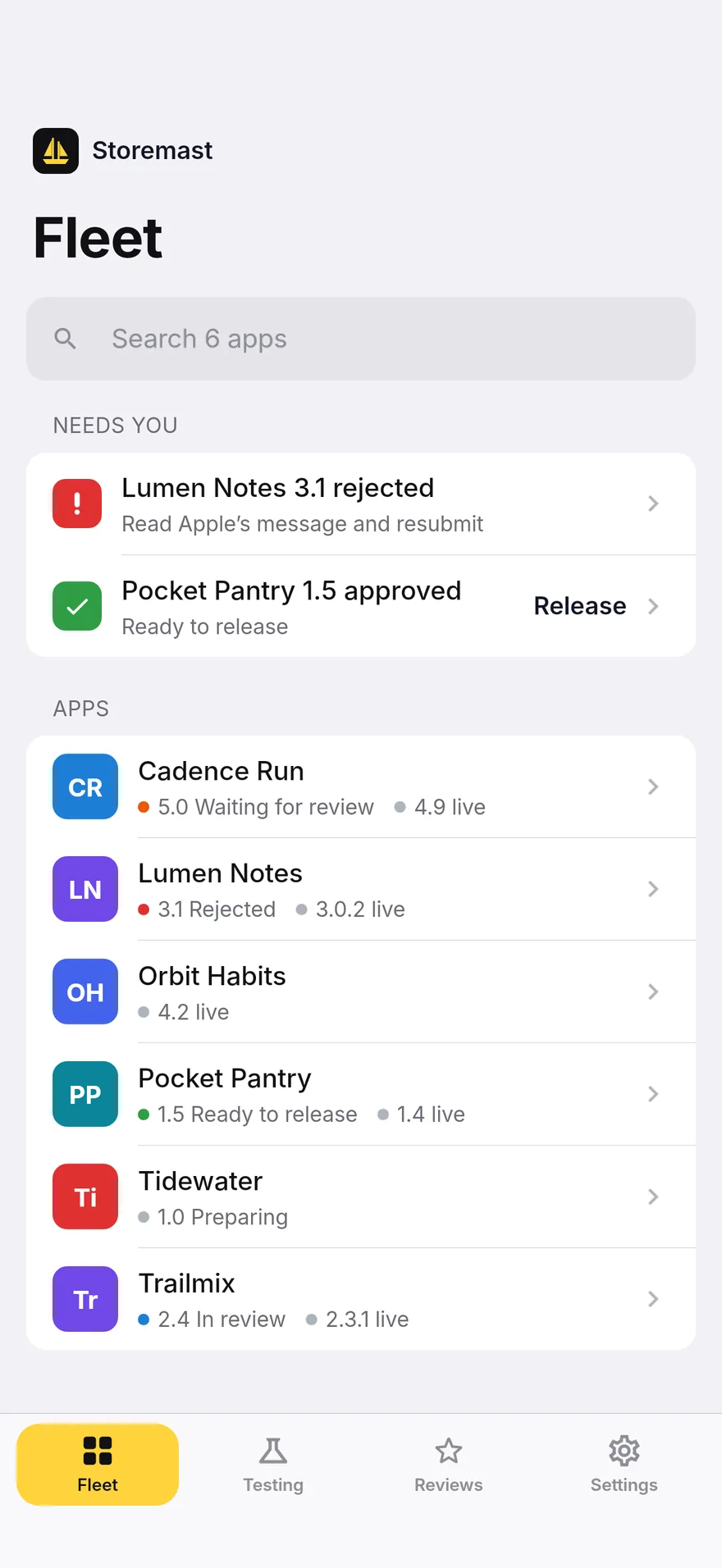
Storemast is an independent iPhone app (in TestFlight beta) built for that daily check. It connects with a team API key that stays in your iPhone's Keychain and shows every app on one Fleet screen, with versions that need you (rejected, or approved and ready to release) at the top. From there you can release approved versions with Face ID, pause or resume phased releases, edit What's New, see TestFlight builds and their expiry and reply to reviews from all your apps. It doesn't replace App Store Connect for setup, metadata, pricing, App Review messages or finances.
Common problems
- Can't sign in, or the wrong team opens: check you're using the Apple Account that was invited, then switch team from the account menu.
- An app is missing: your access may be limited to certain apps, or it belongs to another team.
- No Integrations tab: only the Account Holder and Admins see it, and the team must have requested API access once.
- A button is greyed out: your role doesn't allow it, or the version is locked because it's in review.
- Everything looks blocked: look for a banner about new agreements; the Account Holder has to accept them.
App Store Connect guides
Deeper guides on the parts of App Store Connect you'll use most:
- How to publish an app on the App Store: every step from enrolment to release.
- Every App Store version status explained, plus Waiting for Review and Pending Developer Release.
- How long App Store review takes and how to request an expedited review.
- Phased release and releasing an update from your iPhone.
- TestFlight for developers and TestFlight build expiry.
- The App Store Connect API and creating an API key.
- Replying to App Store reviews and App Store ratings.
For the product page: App Store optimization, keywords, screenshot sizes, app preview videos, localization and What's New release notes. Shipping on Android too? Start with Google Play Console for iOS developers.
Questions
What is App Store Connect?
Apple's website for developers to manage apps on the App Store and TestFlight: app records, versions and metadata, builds, App Review submissions, releases, pricing, users and roles, agreements, payments, sales and analytics.
Is App Store Connect the same as iTunes Connect?
Yes. Apple renamed iTunes Connect to App Store Connect in 2018. Old links and some documentation still use the old name.
How do I log in to App Store Connect?
Go to appstoreconnect.apple.com and sign in with the Apple Account that's a member of your Apple Developer Program team, with two-factor authentication. If you belong to several teams, switch between them from the account menu.
Is there an App Store Connect app for iPhone?
Yes. Apple's free App Store Connect app for iPhone and iPad covers essentials on the go, including app status with notifications, sales and trends, customer reviews and TestFlight. Check its App Store page for the current feature list.
Why can't I see an app in App Store Connect?
Your user may be limited to specific apps, or the app belongs to another team. An Admin can change your app access in Users and Access, or you can switch team from the account menu.
Who can create API keys in App Store Connect?
The Account Holder and Admins can create team API keys under Users and Access › Integrations, after the Account Holder has requested API access once. Individual keys can be allowed per user.
Does App Store Connect cost anything?
Access comes with the Apple Developer Program membership, which has an annual fee. Team members you invite don't need their own paid membership.