 Storemast
Guide
The App Store Connect API: a practical guide
By the Storemast team · Last updated
TL;DR
The App Store Connect API is Apple's REST (JSON:API) interface at api.appstoreconnect.apple.com for apps, versions, builds, TestFlight, reviews, releases, users and reports. Every request carries a JWT signed with ES256 using your API key's .p8: kid = key ID, iss = issuer ID (team keys), aud = appstoreconnect-v1, and a lifetime of at most 20 minutes. Use a team key with the lowest role that does the job.
Almost everything you click in App Store Connect can also be done with code. The App Store Connect API is how CI pipelines upload and distribute builds, how scripts pull sales reports at night, and how apps like Storemast show review status and release versions from an iPhone. This guide covers what the API can do, how authentication works, the endpoints you'll use most, and how to keep your keys safe, with a small working example.
What the API covers
The API is a REST interface at https://api.appstoreconnect.apple.com, following the JSON:API format. Most of App Store Connect is in it:
| Area | What you can do |
|---|---|
| Apps and versions | List apps, create versions, edit localizations (description, keywords, What's New), choose builds, set release options. |
| Review and release | Create review submissions, read version states, release approved versions, manage phased releases. |
| Builds and TestFlight | Read builds and processing states, manage beta groups and testers, test information, expire builds. |
| Customer reviews | Read reviews and create, replace or delete your response. |
| Users and access | List users, invite people, change roles. |
| Provisioning | Bundle IDs, certificates, devices and profiles. |
| Reports | Sales and Trends and financial reports, and analytics report requests. |
| In-app purchases and subscriptions | Products, prices and their localizations. |
| Xcode Cloud | Products, workflows and build runs. |
What it doesn't include matters too. App Review's messages (the replies you get with a rejection) aren't in the API, and a few setup tasks are still easier, or only possible, on the website. Apple adds endpoints every year, so check the documentation before assuming something is missing.
Authentication: API keys and JWTs
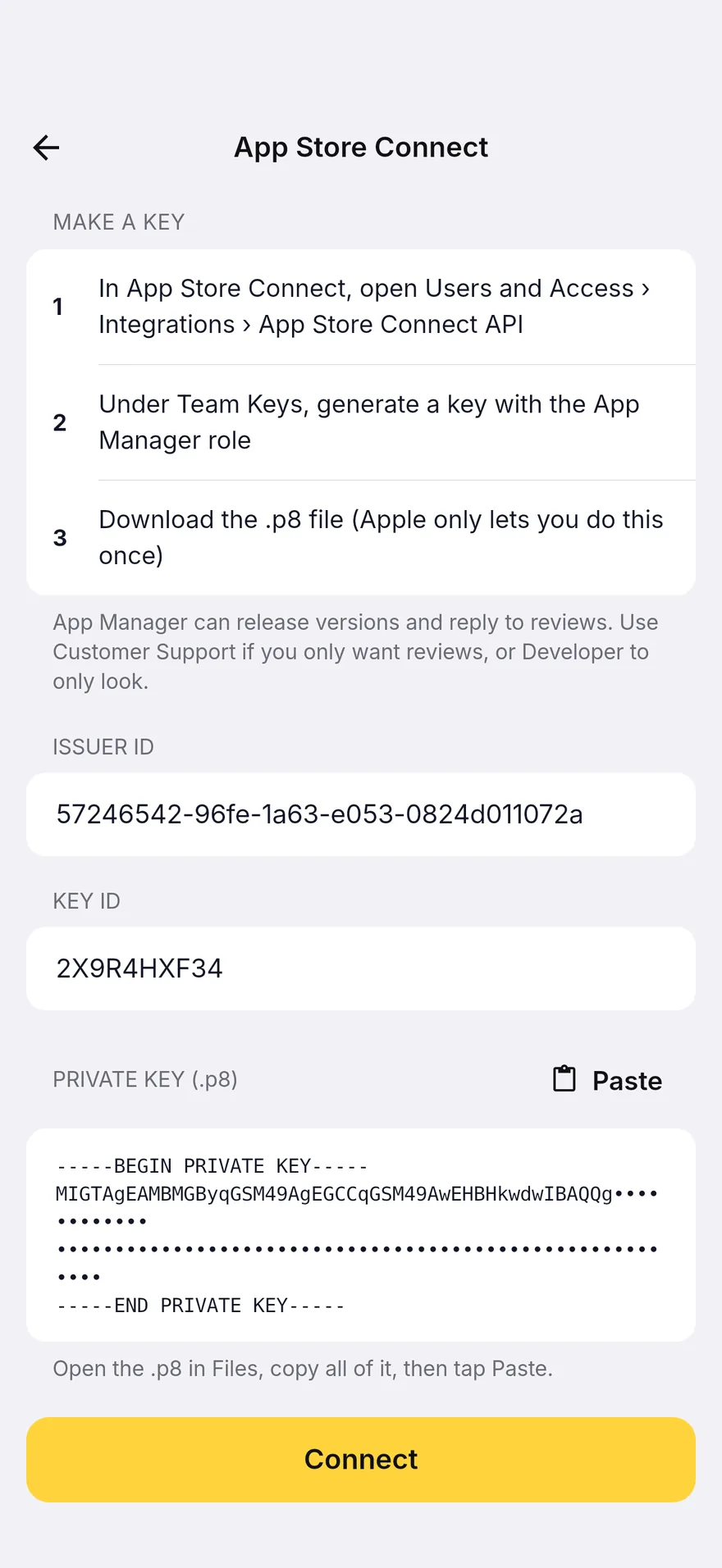
The API doesn't use your Apple Account password. You create an API key in App Store Connect (Users and Access › Integrations › App Store Connect API) and use it to sign short-lived tokens. The full walk-through is in how to create an App Store Connect API key.
Team keys vs individual keys
| Team key | Individual key | |
|---|---|---|
| Belongs to | The team | One user |
| Permissions | The role chosen when it's created | That user's roles |
| Created by | Account Holder or Admin | The user, if allowed |
| Token identifies the team with | iss: your issuer ID | sub: "user" (no issuer ID) |
| Good for | CI, shared tools, apps like Storemast | Personal scripts |
Some areas, such as provisioning and certain reports, have extra restrictions for individual keys. When in doubt, use a team key.
The JWT
Each request sends Authorization: Bearer <token>, where the token is a JSON Web Token signed with your .p8 private key using ES256 (ECDSA with P-256 and SHA-256).
| Part | Field | Value |
|---|---|---|
| Header | alg | ES256 |
| Header | kid | Your key ID |
| Header | typ | JWT |
| Payload | iss | Your issuer ID (team keys) |
| Payload | iat | Issued-at time, in seconds since 1970 |
| Payload | exp | Expiry: no more than 20 minutes after iat |
| Payload | aud | appstoreconnect-v1 |
| Payload | scope | Optional: limit the token to specific requests |
Apple rejects tokens that live longer than 20 minutes for most requests. You don't need to cache them for long: sign a new one every 10–15 minutes. A 401 almost always means the token is wrong: the key ID and issuer ID don't belong together, the clock is off, the lifetime is too long, or the .p8 was pasted incompletely.
A first request
This Python snippet signs a token with the PyJWT library (pip install "pyjwt[crypto]"). The IDs are fake: use your own.
import time, jwt  # PyJWT

KEY_ID = "ABC123DEFG"                              # fake
ISSUER_ID = "00000000-0000-0000-0000-000000000000"  # fake
private_key = open("AuthKey_ABC123DEFG.p8").read()

now = int(time.time())
token = jwt.encode(
    {"iss": ISSUER_ID, "iat": now, "exp": now + 15 * 60, "aud": "appstoreconnect-v1"},
    private_key,
    algorithm="ES256",
    headers={"kid": KEY_ID, "typ": "JWT"},
)
print(token)
Save it as make_token.py, then list your apps with curl (-g stops curl treating the square brackets as a pattern):
TOKEN=$(python3 make_token.py)
curl -sg -H "Authorization: Bearer $TOKEN" \
  "https://api.appstoreconnect.apple.com/v1/apps?fields[apps]=name,bundleId&limit=10"
The answer is JSON:API: a data array of objects with id, type and attributes, plus links.next when there are more pages. Use include to pull related resources in one request, fields[type] to ask only for what you need, and filter[…] to narrow lists.
Endpoints you'll use most
| Task | Request |
|---|---|
| List apps | GET /v1/apps |
| Versions and their states | GET /v1/apps/{id}/appStoreVersions (look at appVersionState) |
| Edit What's New and other text | PATCH /v1/appStoreVersionLocalizations/{id} |
| Builds | GET /v1/builds?filter[app]={id} (processing state, expiry) |
| Submit for review | POST /v1/reviewSubmissions, add items, then mark it submitted |
| Release an approved version | POST /v1/appStoreVersionReleaseRequests |
| Pause, resume or complete a phased release | PATCH /v1/appStoreVersionPhasedReleases/{id} with phasedReleaseState PAUSED, ACTIVE or COMPLETE |
| Customer reviews | GET /v1/apps/{id}/customerReviews |
| Reply to a review | POST /v1/customerReviewResponses; DELETE to remove it |
| TestFlight testers and groups | /v1/betaGroups, /v1/betaTesters |
| Sales and finance reports | GET /v1/salesReports, GET /v1/financeReports (gzip-compressed text) |
Version states are upper case with underscores, for example WAITING_FOR_REVIEW, PENDING_DEVELOPER_RELEASE and READY_FOR_DISTRIBUTION. The older appStoreState field is deprecated. Treat unknown values gracefully: Apple adds and renames states. The meaning of each is in every App Store version status explained.
Rate limits and errors
Apple limits how many requests a key can make over a rolling hour, and reports the limit and what's left in the X-Rate-Limit response header. Apple doesn't promise the numbers stay fixed, so read the header rather than hard-coding a value. When you go over, you get 429 Too Many Requests.
- Ask for less. Use
fields,includeandlimitso one request replaces several. - Cache what rarely changes, such as app names and icons.
- Back off on 429 and on
5xxerrors, with a delay that grows.
| Status | Usually means |
|---|---|
| 401 | Bad token: key ID, issuer ID, .p8, clock or lifetime. |
| 403 | The token is fine but the key's role can't do this. |
| 404 | Wrong ID, or the resource isn't visible to this key. |
| 409 | Conflict: the request doesn't fit the current state (e.g. releasing a version that isn't approved), or invalid attributes. |
| 429 | Rate limit reached. |
Error responses include an errors array with a detail that's usually readable. Log it.
Tools built on the API
- fastlane: its
app_store_connect_api_keyaction loads a key, and actions such as uploading to TestFlight or submitting metadata then use the API instead of a password. - xcodebuild: archive and export flags such as
-authenticationKeyPath,-authenticationKeyIDand-authenticationKeyIssuerIDlet automatic signing work on CI without signing in. - CI services: most hosted CI systems for Apple platforms accept an App Store Connect API key in their settings. Xcode Cloud is built into App Store Connect.
- Your own scripts: a nightly sales report, a Slack message when a version is approved, a check for builds close to TestFlight expiry.
Apple has also introduced webhook notifications for some App Store Connect events, which can save you from polling; check Apple's documentation for the events it currently covers.
Keeping API keys safe
- Lowest role that works. A status dashboard needs Developer; releases need App Manager. Avoid Admin keys in tools.
- One key per use. CI, each script and each device get their own key, so one can be revoked without breaking the others.
- Never commit a
.p8. Use your CI's secret store or the system keychain, and don't paste keys into chat or tickets. - Sign locally. The private key only needs to be where tokens are signed. It's never sent to Apple.
- Revoke keys for lost devices, departed people and tools you've stopped using. Revocation is immediate.
How Storemast uses the API
Storemast is an iPhone app built entirely on the App Store Connect API. You add a team key once; the .p8 stays in the iPhone Keychain, ES256 tokens are signed on the phone with a 15-minute lifetime, and requests go straight to api.appstoreconnect.apple.com, with no Storemast server in between. It reads apps, versions, builds and reviews, and makes the release request, phased release update, What's New edit and review reply described above, each after Face ID. Details are on the security page.
Questions
Is the App Store Connect API free?
Yes. It's included with the Apple Developer Program. The Account Holder requests API access for the team once, then the Account Holder and Admins can create keys.
How long can an App Store Connect API token last?
Apple rejects tokens with a lifetime of more than 20 minutes for most requests. Tools generate a fresh token every few minutes; it's cheap to sign one.
What's the difference between team keys and individual keys?
A team key belongs to the team and has the role you pick when you create it; its token includes your issuer ID. An individual key belongs to one user, acts with that user's permissions, and its token uses sub set to user instead of an issuer ID.
What are the App Store Connect API rate limits?
Apple applies per-key request limits over a rolling hour and reports your limit and what's left in the X-Rate-Limit response header. Going over returns 429 Too Many Requests, so back off and retry later.
Can I read App Review rejection messages through the API?
No. The API shows that a version was rejected, but App Review's messages are only available in App Store Connect.
Can the API release an approved version?
Yes. A POST to appStoreVersionReleaseRequests releases a version in Pending Developer Release, and appStoreVersionPhasedReleases lets you pause, resume or complete a phased release. The key needs App Manager or Admin.
Which language or library should I use?
Any that can sign an ES256 JWT and make HTTPS requests. Most teams start with an existing tool such as fastlane or their CI's built-in support, then script specific tasks.